Stacks of alternatives
Any pattern or clip holds a stack of versions. Flip between them while the beat plays. The switch lands on the next bar, so it always stays in time.
Open source · Early 0.1 · Made with love
A music studio for hip hop and electronic music where you explore instead of edit. Stack alternatives, scrub back through time, branch like code. Write your own effects in Pandora, live, while the song plays. And if you want, an AI agent can play along.
A tiny browser sketch of the idea. The real app runs a native Rust audio engine.
Explore, don't edit
Most DAWs make you pick: keep this version, or try that one. Here you keep both, and the next one, and the one after that.
Any pattern or clip holds a stack of versions. Flip between them while the beat plays. The switch lands on the next bar, so it always stays in time.
The history bar holds every moment of your session. Click one to hear it, restore it, or branch from it. Restoring adds a new moment, so even that can be undone.
Try a wild idea on its own branch. Switch back any time, or merge the good parts in. The energy curve can even sketch an arrangement for you.
Dice
Named musical moves: Fill, Busier, Sparser, Groove, Half-time, Remix, Answer, Octave, Rhythm, Arp. Each roll goes on the stack, so you can always go back. It runs offline, costs nothing, and learns from what you keep.
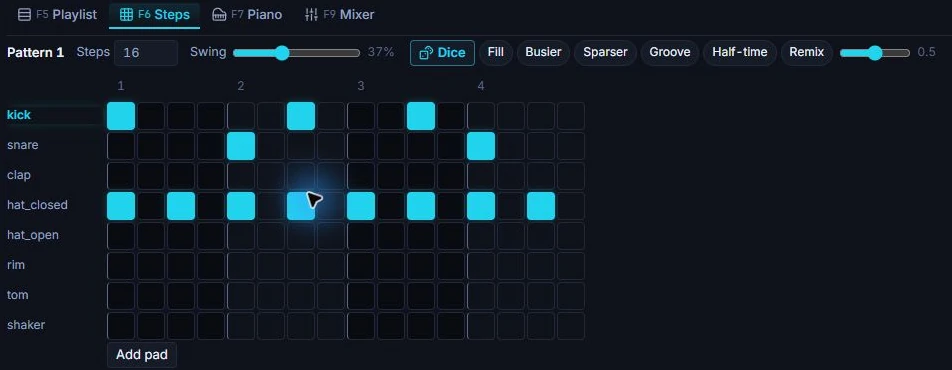
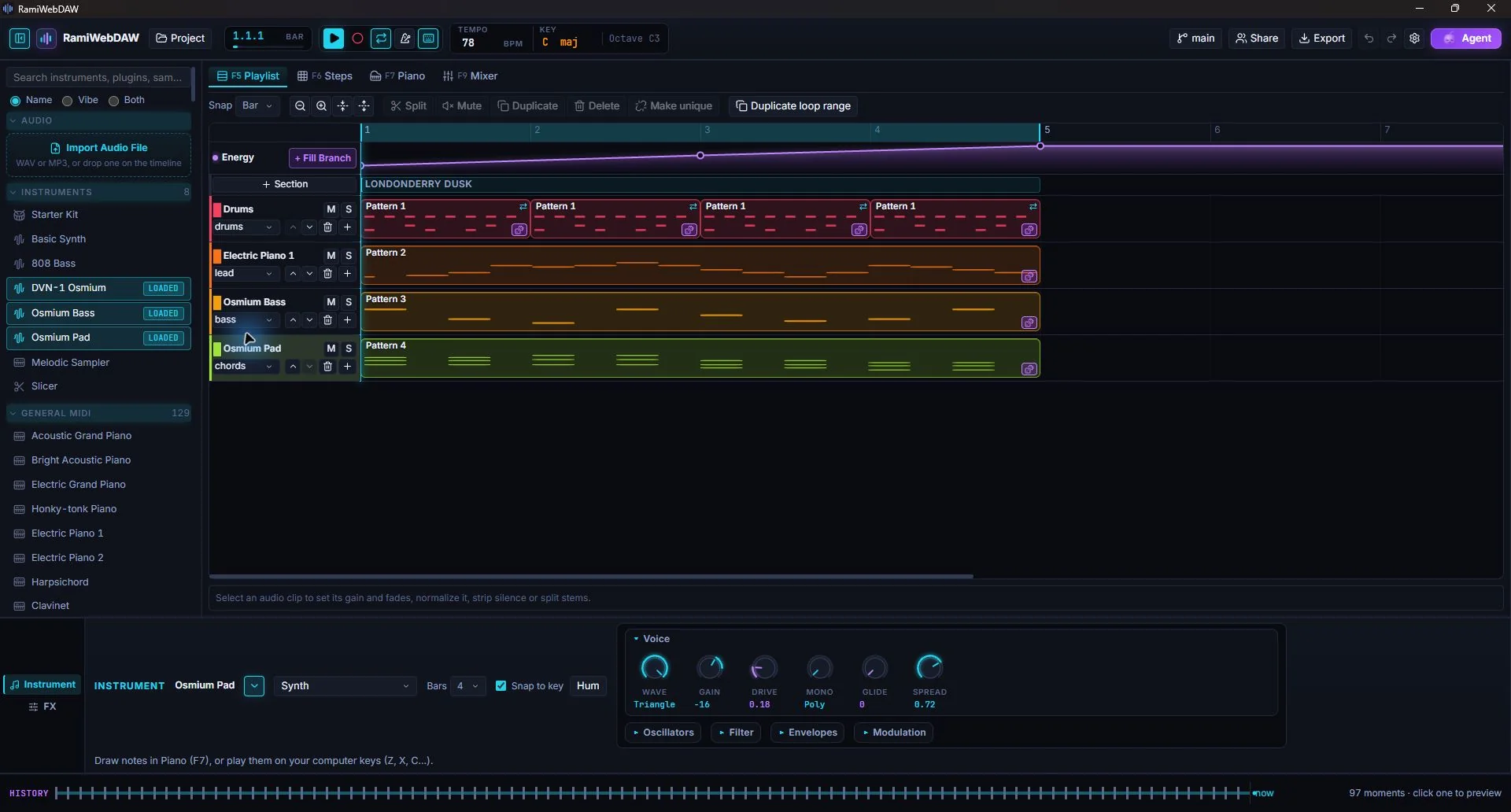
Dark, calm and compact. Built to keep you in the music.
name "Warm Crush";
param drive "Drive" = 2.0 [1.0..10.0] "x";
param mix   "Mix"   = 0.5 [0.0..1.0] "";

fn process(in_l, in_r) {
    out_l = lerp(in_l, tanh(in_l * drive) / tanh(drive), mix);
    out_r = lerp(in_r, tanh(in_r * drive) / tanh(drive), mix);
}Pandora · the big one
Pandora is a small language for audio effects, built into the mixer. Most DAWs only let you use effects someone else made. Here you write a few lines and hear your own right away.
param becomes a knob you can turn and automate.Made for agents, and humans
Every button you press is a command in the Rust core, and every command is also a tool an agent can call. There are no features the agent can't reach and no features hidden from you. Same commands, same undo.
set_tempo{ "bpm": 85 }okadd_track{ "kind": "instrument", "instrument_preset": "starter_kit" }oktoggle_step× 14 kick, snare, hatsokset_swing{ "pattern": "p1", "amount": 0.18 }okrender_and_analyze{ } whole song−14.2 LUFSdice{ "slot": "sl1", "move": "busier", "strength": 0.6 }alt BOr from the outside
Point Claude, or any MCP client, at the headless app and talk. A friend of the project, who is neither a programmer nor a musician, makes beats this way.
# any MCP client, stdio
$ rdaw-headless --mcp-stdio
Your voice is an instrument
Have an idea in your head? Sing it into the mic. Small AI models on your own machine turn it into notes you can edit, and the result goes on the stack, so the old pattern is still there.
Press Hum on a synth track and sing. Your humming becomes notes, snapped to the grid and, if you want, to the song's key.
Press Beatbox on a drum track and go "boots and cats". Each sound is heard as a kick, snare or hat and lands on the right drum pad.
Select any audio clip and click Transcribe to notes. It hears several notes at once, so chords and a bass under a melody come through too.
Runs locally with Basic Pitch and CLAP. Your voice never leaves your computer.
Sound sculpting
Pick a single note in any recording, say a piano C. The app measures what it is made of and rebuilds it from scratch: its pitch, up to 64 overtones (each with its own fade), and the breathy noise around them.
No machine learning: plain, repeatable sound maths that an agent can read and edit too. Your source recording is never changed.
A browser sketch with 24 overtones. The real one measures them from your recording.
A quick tour
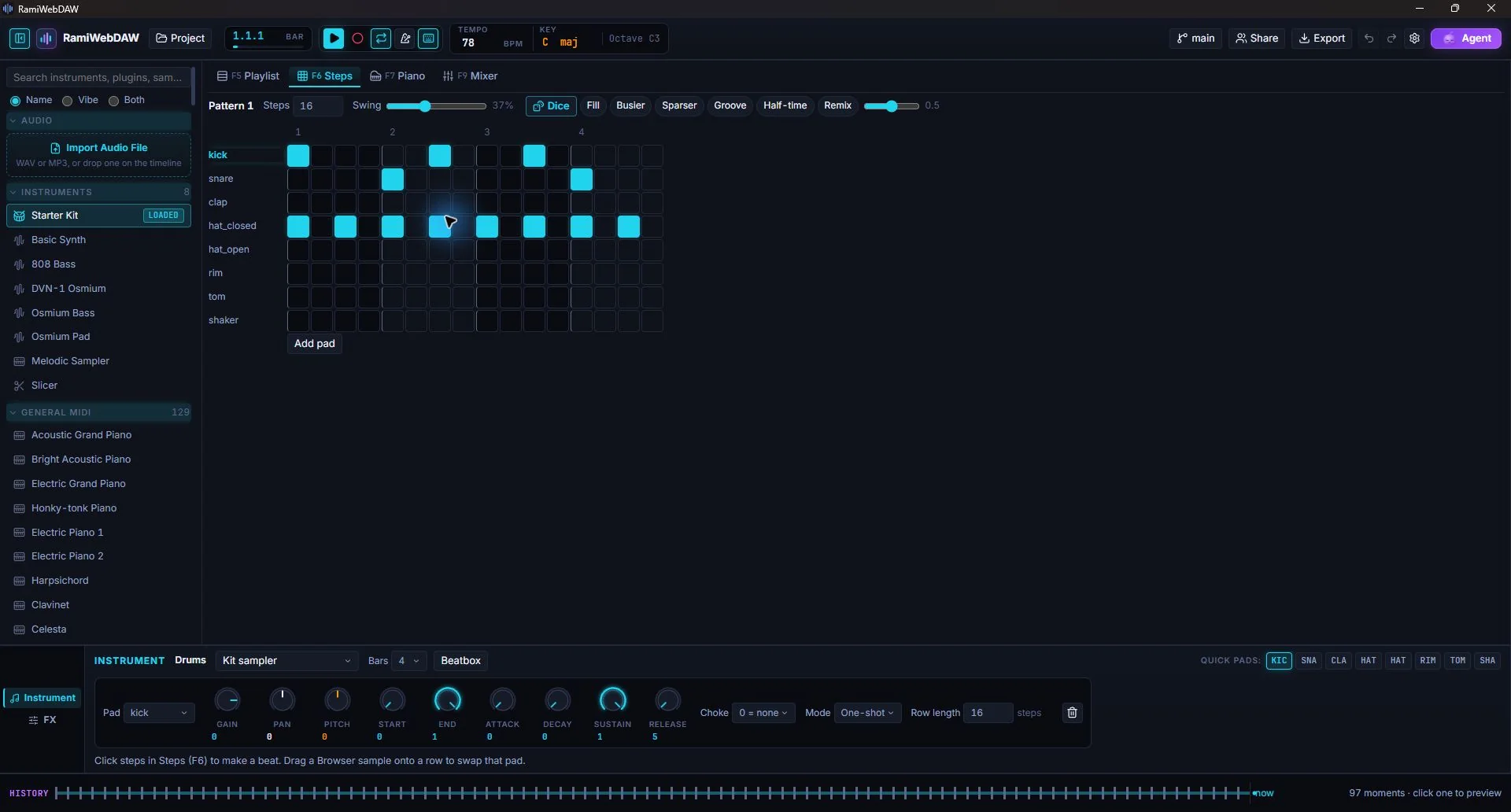
Step sequencer and piano roll over the same notes. Sampler, Slicer, 808, synths, a General MIDI set, VST3 on Windows. Play on your computer keys or a MIDI controller.
Record, split, fade, normalize, strip silence. Your source audio files are never changed. Export to WAV or MP3.
Search samples by vibe ("dusty snare"), split a song into stems, and turn humming, beatboxing or a whole song into notes. All on your machine.
Send an invite link and a friend joins, peer to peer. No server, no account. Everyone brings their own agent.
This is not a replacement for your DAW. It could be, if you want it to be. But I am not trying to compete with the DAWs I love (and have already bought, to support their makers). I just want to have my own personal DAW, hence the name.
Everyone is welcome to use it, with love from me.
Built by agents, too
Most of the code was written by Claude Code, Devin, Gemini and Codex, each on its own branch with a handoff note, with Claude reviewing before anything reaches main. The same rule runs through the app and the way it is made: anything a person can do, an agent can do.
Get it
It's early (0.1.0) and experimental: not tested much on different machines or audio setups, and a lot will change. Get the Windows installer or the Mac app (Apple Silicon) from Releases, or build it yourself below. Expect rough edges, and tell us about them.
The first launch shows a warning. That's expected: the builds aren't code-signed yet (signing costs a yearly fee to Microsoft and Apple so they can vouch for the maker), so your system sees an unknown publisher. On Windows click More info → Run anyway. On Mac use System Settings → Privacy & Security → Open Anyway.
Rust, Node.js 20+ and a C compiler.
Clone the repo from GitHub.
Once it's open, your first beat takes under a minute. No agent needed.
$ git clone https://github.com/ramigb/ramiwebdaw
$ cd ramiwebdaw
$ npm install
$ npm run tauri dev